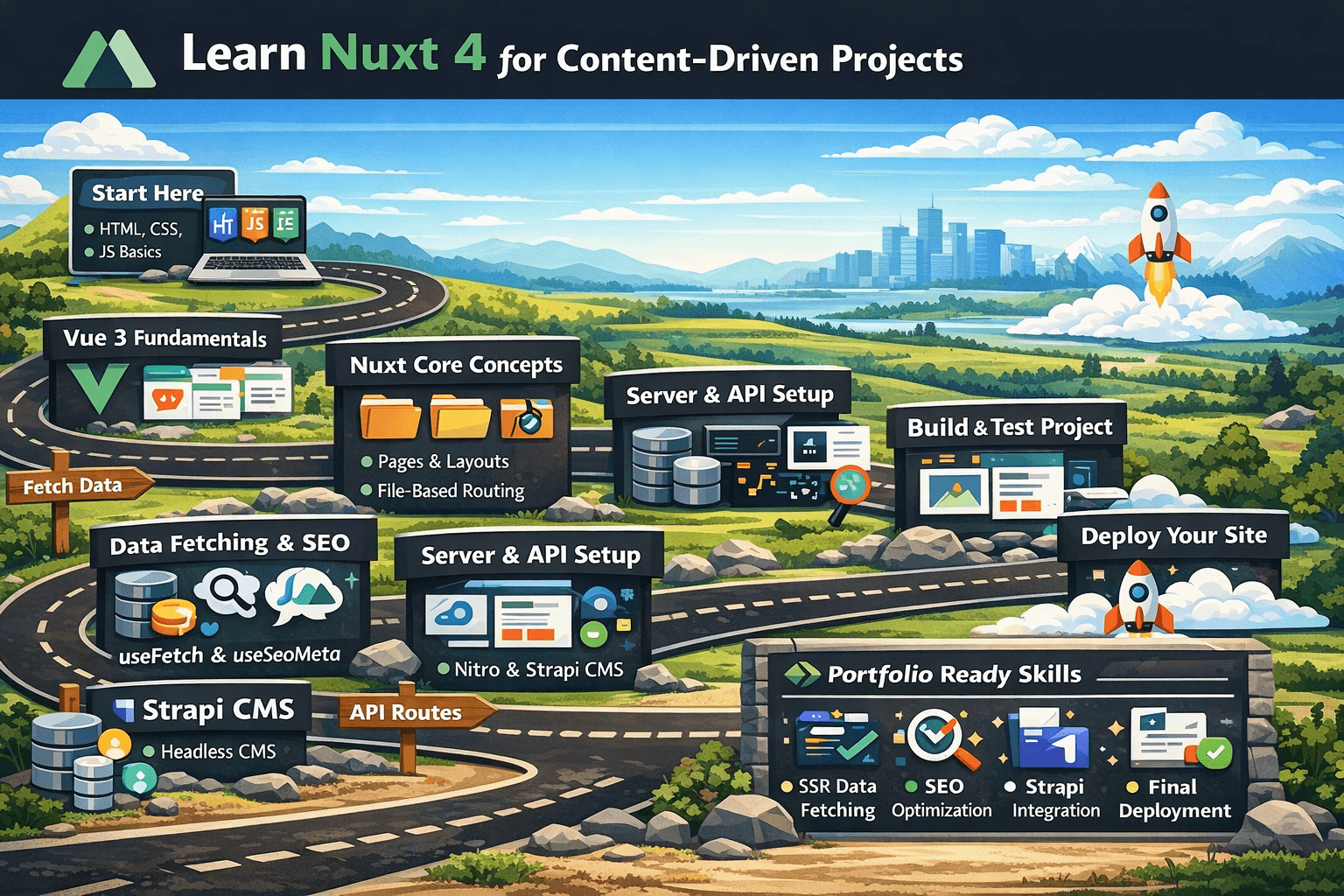
Learn Nuxt 4 for Content-Driven Projects
A step-by-step learning roadmap to understand Nuxt 4 fundamentals and build modern SEO-friendly content platforms.
This roadmap is designed for beginners who want to learn Nuxt 4 in a practical, structured way and use it to build content-driven websites such as blogs, documentation platforms, editorial sites, or CMS-powered marketing pages. Nuxt 4 is built on Vue, provides server-side rendering by default, supports file-based routing, auto-imports, SSR-friendly data fetching, and a deployment model powered by Nitro. These characteristics make it a strong choice for SEO-friendly, production-ready content platforms. (Nuxt)
1. Learning Goals
By the end of this roadmap, you should be able to:
- Understand Vue 3 fundamentals needed for Nuxt.
- Build pages, layouts, and reusable components in Nuxt 4.
- Use file-based routing and dynamic routes for slugs and categories.
- Fetch data correctly with
useFetch,useAsyncData, and$fetch. - Manage metadata and SEO with
useSeoMeta. - Create server endpoints with Nitro.
- Connect Nuxt to a headless CMS such as Strapi.
- Build and deploy a real content-driven project with article pages, category pages, and shared content sections. ()
2. Recommended Timeline
Week 1 — Vue 3 Foundations
Focus on the Vue concepts that Nuxt relies on every day:
- Single File Components
script setup- props
- emits
- reactivity with
refandreactive - computed values
- composables
- component composition
Vue’s official guide treats components as reusable UI units, explains explicit prop declarations, custom events, composables for logic reuse, and the Composition API as the foundation for modern Vue development. That is the soil Nuxt grows from. Skip this part and the rest becomes mud. (Vue.js)
Week 2 — Nuxt 4 Core Concepts
Learn what Nuxt adds on top of Vue:
- project structure
app/pagesapp/layouts- auto-imports
- SSR basics
- navigation
- route parameters
- route middleware
- state management with
useState
Nuxt’s conventions reduce boilerplate through file-based routing, auto-imports, TypeScript support, and SSR-ready architecture. Layouts and pages are core to structuring content-driven apps. (Nuxt)
Week 3 — Data Fetching, SEO, and Rendering
Now learn how content actually reaches the page:
useFetchuseAsyncData$fetch- SSR vs CSR vs hybrid rendering
- metadata with
useSeoMeta - route-aware SEO for article pages
Nuxt’s data-fetching system is SSR-friendly, and its SEO tooling is powered by Unhead, with useSeoMeta recommended for type-safe meta definitions. Rendering strategy matters because content websites live or die by performance, crawlability, and perceived speed. (Nuxt)
Week 4 — Server Routes and CMS Integration
Then move into full-stack and content integration:
- Nitro server routes
- server middleware
- API proxying
- runtime config
- Strapi integration
- fetching collections and single entries
- slug-based detail pages
Nuxt’s server/ directory allows you to create API endpoints and middleware using Nitro and h3. Strapi is designed as a headless CMS with customizable APIs and is commonly paired with Nuxt for dynamic content-driven websites. (Nuxt)
Weeks 5–6 — Real Project, Testing, and Deployment
Build a small but complete project:
- homepage
- category listing page
- article detail page
- shared layout
- CMS integration
- SEO metadata
- fallback states
- testing
- deployment
Nuxt provides official support for testing and multiple deployment styles, including Node-based deployment, static generation, and hybrid strategies. (Nuxt)
3. Prerequisites Before Starting
Before touching Nuxt, make sure you can already do these without fighting your keyboard like it owes you money:
- basic HTML and CSS
- modern JavaScript fundamentals
- ES modules
- async/await
- array methods
- basic TypeScript reading ability
- terminal basics
- npm, pnpm, bun, or yarn usage
Nuxt itself recommends a standard project setup and builds on Vue and Vite conventions, so a little JavaScript and terminal comfort saves a lot of pain later. (Nuxt)
4. Phase 1 — Vue 3 Fundamentals You Must Learn First
4.1 Components
<script setup lang="ts">
const title = "Hello Vue"
</script>

<template>
  <section>
    <h1>{{ title }}</h1>
  </section>
</template>
Learn:
- how components are created
- how templates bind values
- how to split UI into reusable pieces
4.2 Props
<script setup lang="ts">
defineProps<{
  title: string
  excerpt?: string
}>()
</script>

<template>
  <article>
    <h2>{{ title }}</h2>
    <p v-if="excerpt">{{ excerpt }}</p>
  </article>
</template>
4.3 Emits
<script setup lang="ts">
const emit = defineEmits<{
  select: [slug: string]
}>()

function handleClick() {
  emit("select", "learn-nuxt-4")
}
</script>

<template>
  <button @click="handleClick">Open article</button>
</template>
4.4 Reactivity
<script setup lang="ts">
import { ref, computed } from "vue"

const count = ref(0)
const double = computed(() => count.value * 2)
</script>

<template>
  <div>
    <button @click="count++">Count: {{ count }}</button>
    <p>Double: {{ double }}</p>
  </div>
</template>
4.5 Composables
// composables/useReadingTime.ts
export function useReadingTime(text: string) {
  const words = text.trim().split(/\s+/).length
  const minutes = Math.ceil(words / 200)

  return {
    words,
    minutes
  }
}<script setup lang="ts">
const content = "Nuxt makes content sites much easier to build."
const { minutes } = useReadingTime(content)
</script>
<template>
<p>{{ minutes }} min read</p>
</template>Study these topics in the official Vue documentation before going deeper into Nuxt. They are not optional. They are the bricks; Nuxt is the house. (Vue.js)
5. Phase 2 — Start a Nuxt 4 Project
Create a new project and run it locally.
npx nuxi@latest init my-nuxt-content-app
cd my-nuxt-content-app
npm install
npm run dev
Nuxt’s installation flow and conventions are designed so you can start quickly with a production-oriented structure instead of building the plumbing by hand like it’s 2017. (Nuxt)
Learn the project structure
A content-focused Nuxt app will often look like this:
my-nuxt-content-app/
├─ app/
│  ├─ components/
│  │  ├─ ArticleCard.vue
│  │  ├─ SiteHeader.vue
│  │  └─ SiteFooter.vue
│  ├─ layouts/
│  │  └─ default.vue
│  ├─ pages/
│  │  ├─ index.vue
│  │  ├─ articles/
│  │  │  ├─ index.vue
│  │  │  └─ [slug].vue
│  │  └─ categories/
│  │     └─ [slug].vue
│  ├─ app.vue
│  └─ assets/
├─ composables/
│  └─ useReadingTime.ts
├─ server/
│  ├─ api/
│  │  └─ articles.get.ts
│  └─ middleware/
│     └─ log.ts
├─ public/
├─ nuxt.config.ts
└─ package.json
Nuxt documents pages, layouts, and server as first-class structural concepts, and this organization maps naturally to editorial or CMS-powered websites. (Nuxt)
6. Phase 3 — Learn Pages, Layouts, and Routing
6.1 Create a homepage
<!-- app/pages/index.vue -->
<template>
  <main>
    <h1>My Content Platform</h1>
    <p>Welcome to a Nuxt 4 content-driven website.</p>
  </main>
</template>
6.2 Create an articles page
<!-- app/pages/articles/index.vue -->
<template>
  <section>
    <h1>Articles</h1>
  </section>
</template>
6.3 Create a dynamic article page by slug
<!-- app/pages/articles/[slug].vue -->
<script setup lang="ts">
const route = useRoute()
const slug = computed(() => route.params.slug as string)
</script>

<template>
  <article>
    <h1>Article: {{ slug }}</h1>
  </article>
</template>
6.4 Use a default layout
<!-- app/layouts/default.vue -->
<template>
  <div>
    <header>
      <nav>
        <NuxtLink to="/">Home</NuxtLink>
        <NuxtLink to="/articles">Articles</NuxtLink>
      </nav>
    </header>

    <main>
      <slot />
    </main>

    <footer>Built with Nuxt 4</footer>
  </div>
</template>
Routing in Nuxt is file-based, layouts are reusable wrappers, and route parameters are central for slug-driven content pages. This is exactly the pattern used for article detail routes and category archives. (Nuxt)
7. Phase 4 — Learn SSR-Friendly Data Fetching
Nuxt gives you three tools that matter most here:
useFetchfor SSR-friendly fetching in components and pagesuseAsyncDatafor flexible async logic$fetchfor direct API calls, especially server-side or within utilities
Nuxt explicitly documents these as the main data-fetching primitives for browser and server environments. Nitro also optimizes direct server-side route calls with $fetch, avoiding unnecessary extra HTTP calls in some cases. (Nuxt)
Example: fetch local API data
// server/api/articles.get.ts
export default defineEventHandler(() => {
  return [
    {
      id: 1,
      title: "Learn Nuxt 4",
      slug: "learn-nuxt-4",
      excerpt: "A practical guide to Nuxt 4."
    },
    {
      id: 2,
      title: "Build SEO Pages",
      slug: "build-seo-pages",
      excerpt: "How to structure metadata in Nuxt."
    }
  ]
})<!-- app/pages/articles/index.vue -->
<script setup lang="ts">
const { data: articles, pending, error } = await useFetch("/api/articles")
</script>
<template>
<section>
<h1>Articles</h1>
<p v-if="pending">Loading...</p>
<p v-else-if="error">Something went wrong.</p>
<ul v-else>
<li v-for="article in articles" :key="article.id">
<NuxtLink :to="`/articles/${article.slug}`">
{{ article.title }}
</NuxtLink>
</li>
</ul>
</section>
</template>That pattern is gold for beginners: local API route first, external CMS second. Walk before you sprint into the fog.
8. Phase 5 — Learn SEO the Right Way
Content websites without SEO discipline are like printing books and locking them in a basement.
Nuxt’s SEO and meta system is powered by Unhead, and useSeoMeta is the recommended approach because it is type-safe and helps avoid common metadata mistakes. SSR also improves how search engines access page content. (Nuxt)
Example: page-level SEO
<script setup lang="ts">
useSeoMeta({
  title: "Learn Nuxt 4 for Content-Driven Projects",
  description: "A beginner roadmap to learn Nuxt 4 and build SEO-friendly content platforms.",
  ogTitle: "Learn Nuxt 4 for Content-Driven Projects",
  ogDescription: "A beginner roadmap to learn Nuxt 4 and build SEO-friendly content platforms."
})
</script>

<template>
  <main>
    <h1>Learn Nuxt 4 for Content-Driven Projects</h1>
  </main>
</template>
Example: dynamic SEO for article detail pages
<script setup lang="ts">
const route = useRoute()
const slug = route.params.slug as string

const { data: article } = await useFetch(`/api/articles/${slug}`)

useSeoMeta({
  title: article.value?.title || "Article",
  description: article.value?.excerpt || "Article detail page"
})
</script>
9. Phase 6 — Learn Nitro Server Routes
Nuxt is not just a pretty frontend coat. Nitro gives it server muscles.
The server/ directory supports API routes, middleware, and plugins. Files in server/api become /api/* endpoints, and middleware runs on every request when needed. Nitro uses h3 and generates a standalone build output suitable for different deployment environments. (Nuxt)
Example: article detail API
// server/api/articles/[slug].get.ts
export default defineEventHandler((event) => {
  const slug = getRouterParam(event, "slug")

  const articles = [
    {
      id: 1,
      title: "Learn Nuxt 4",
      slug: "learn-nuxt-4",
      excerpt: "A practical guide to Nuxt 4.",
      content: "Nuxt 4 helps developers build SSR-friendly content sites..."
    }
  ]

  return articles.find((article) => article.slug === slug) || null
})
Example: request logger middleware
// server/middleware/log.ts
export default defineEventHandler((event) => {
  console.log(`[${new Date().toISOString()}] ${getRequestURL(event)}`)
})
Example: render article detail page
<!-- app/pages/articles/[slug].vue -->
<script setup lang="ts">
const route = useRoute()
const slug = route.params.slug as string

const { data: article, error } = await useFetch(`/api/articles/${slug}`)

if (!article.value && !error.value) {
  throw createError({
    statusCode: 404,
    statusMessage: "Article not found"
  })
}

useSeoMeta({
  title: article.value?.title || "Article",
  description: article.value?.excerpt || "Article detail"
})
</script>

<template>
  <article v-if="article">
    <h1>{{ article.title }}</h1>
    <p>{{ article.excerpt }}</p>
    <div>{{ article.content }}</div>
  </article>
</template>
10. Phase 7 — Connect Nuxt 4 to Strapi
Strapi is a strong fit for content-driven Nuxt projects because it provides customizable APIs, content modeling, role-based permissions, and modern headless CMS workflows. Strapi explicitly positions Nuxt as a good frontend pair for SEO-friendly and dynamic content websites. (strapi.io)
Example use case
Use Strapi when you want:
- editors to manage articles without touching code
- categories and tags
- author profiles
- rich text content
- draft and publish workflows
- media uploads
Example environment config
NUXT_PUBLIC_API_BASE=https://your-strapi-domain.com/api
NUXT_PUBLIC_STRAPI_TOKEN=your_public_or_readonly_token
Example nuxt.config.ts
// nuxt.config.ts
export default defineNuxtConfig({
  runtimeConfig: {
    public: {
      apiBase: process.env.NUXT_PUBLIC_API_BASE,
      strapiToken: process.env.NUXT_PUBLIC_STRAPI_TOKEN
    }
  }
})
Example fetch helper composable
// composables/useCmsApi.ts
export function useCmsApi() {
  const config = useRuntimeConfig()

  return $fetch.create({
    baseURL: config.public.apiBase,
    headers: {
      Authorization: `Bearer ${config.public.strapiToken}`
    }
  })
}
Example fetch articles from Strapi
<script setup lang="ts">
const api = useCmsApi()

const { data: articles } = await useAsyncData("articles", async () => {
  return await api("/articles", {
    query: {
      populate: "*",
      sort: "publishedAt:desc"
    }
  })
})
</script>

<template>
  <section>
    <h1>Latest Articles</h1>

    <ul v-if="articles?.data?.length">
      <li v-for="item in articles.data" :key="item.id">
        {{ item.title || item.attributes?.title }}
      </li>
    </ul>
  </section>
</template>
What to model in Strapi
Start with these content types:
- Article
* title
* slug
* excerpt
* content
* coverImage
* category
* author
* seoTitle
* seoDescription
* publishedAt
- Category
* name
* slug
* description
- Author
* name
* bio
* avatar
That is enough for a serious beginner project without turning your CMS into a monster truck for grocery shopping.
11. Phase 8 — Build the Real Project
Build this exact project:
Project: Content Hub
Required pages
/
* hero section
* featured articles
* categories
/articles
* article listing page
/articles/[slug]
* article detail page
/categories/[slug]
* category detail page with related articles
/about
* basic static content page
Required features
- dynamic SEO metadata
- article cards
- category filtering
- loading states
- empty states
- not-found handling
- CMS integration
- reusable layout
- simple responsive design
Example article card component
<!-- app/components/ArticleCard.vue -->
<script setup lang="ts">
defineProps<{
  title: string
  slug: string
  excerpt: string
}>()
</script>

<template>
  <article class="article-card">
    <h2>
      <NuxtLink :to="`/articles/${slug}`">{{ title }}</NuxtLink>
    </h2>
    <p>{{ excerpt }}</p>
  </article>
</template>
Example category page
<!-- app/pages/categories/[slug].vue -->
<script setup lang="ts">
const route = useRoute()
const slug = route.params.slug as string
const api = useCmsApi()

const { data } = await useAsyncData(`category-${slug}`, async () => {
  return await api("/articles", {
    query: {
      filters: {
        category: {
          slug: {
            $eq: slug
          }
        }
      },
      populate: "*"
    }
  })
})

useSeoMeta({
  title: `Category: ${slug}`,
  description: `Articles filed under ${slug}`
})
</script>

<template>
  <section>
    <h1>Category: {{ slug }}</h1>

    <div v-if="data?.data?.length">
      <ArticleCard
        v-for="item in data.data"
        :key="item.id"
        :title="item.title || item.attributes?.title"
        :slug="item.slug || item.attributes?.slug"
        :excerpt="item.excerpt || item.attributes?.excerpt"
      />
    </div>

    <p v-else>No articles found for this category.</p>
  </section>
</template>
12. Phase 9 — Learn State Management Only as Much as You Need
For content-driven projects, do not overengineer state early. Nuxt documents useState as an SSR-friendly shared state option. In beginner content apps, that is often enough for search state, category filters, reading preferences, or UI toggles. (Nuxt)
Example: shared search query
// composables/useArticleSearch.ts
export function useArticleSearch() {
  return useState("article-search", () => "")
}<script setup lang="ts">
const search = useArticleSearch()
</script>
<template>
<input v-model="search" type="text" placeholder="Search articles..." />
</template>13. Phase 10 — Testing and Quality
Nuxt provides official testing support through @nuxt/test-utils. Even for beginner projects, you should validate your critical flows:
- homepage renders
- article list renders
- slug detail page resolves
- CMS data fetch does not break the page
- 404 page works
- SEO metadata is set for key pages ()
What to test first
- one component test for
ArticleCard - one page test for
/articles - one integration test for
/articles/[slug]
Do not wait until the whole site is done. That move has buried many projects with a smiling face.
14. Phase 11 — Deployment and Rendering Strategy
Nuxt can be deployed in multiple ways, including Node-based hosting, static prerendering, or hybrid rendering depending on the project’s needs. For content websites, your deployment choice depends on whether content changes frequently, whether previews are needed, and whether SSR matters for SEO and freshness. (Nuxt)
Good beginner strategy
Use:
- SSR if content changes often and SEO matters
- static prerendering if content changes rarely
- hybrid rendering if some pages are static and some are dynamic
15. Suggested Practice Exercises
Complete these in order:
- Build a static homepage in Nuxt.
- Add a reusable layout.
- Create
/articlesand/articles/[slug]. - Add local mock data with
server/api. - Replace mock data with Strapi content.
- Add category pages.
- Add SEO metadata for every main page.
- Add article cards and reusable content sections.
- Add 404 handling.
- Deploy the project.
That sequence respects the old truth of good engineering: foundations first, fancy nonsense later.
16. Portfolio-Ready Final Deliverable
By the end of the roadmap, your project should demonstrate:
- Vue 3 fundamentals
- Nuxt 4 routing and layouts
- SSR-friendly data fetching
- SEO metadata handling
- dynamic route generation by slug
- CMS integration with Strapi
- reusable component architecture
- practical content modeling
- production-ready deployment thinking
Stacks relacionados

Nuxt 4 + Strapi 5
A modern content-driven stack for SEO-friendly websites, blogs, documentation platforms, and scalable editorial projects.
Next.js + Sanity
A flexible stack for content-rich websites that need strong editorial tooling, fast previews, and modern React-based frontend delivery.
SvelteKit + Tailwind CSS for Modern Landing Pages
A flexible landing page stack for developers and startups who want modern design, strong performance, and room to grow into a more interactive web experience.

Astro + Tailwind CSS for Modern Landing Pages
A beginner-friendly stack for building fast, modern, and visually polished landing pages with strong performance and clean frontend architecture.
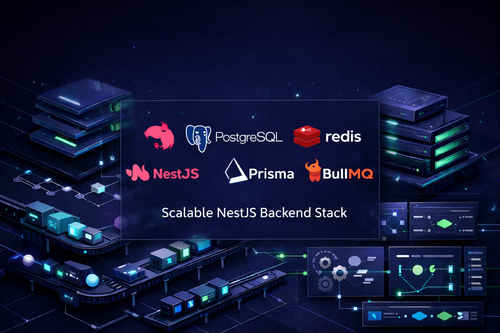
Scalable NestJS Backend Stack
A structured backend stack for teams that want strong TypeScript support, scalable architecture, reliable relational data, and clean long-term maintainability for modern APIs and backend systems.
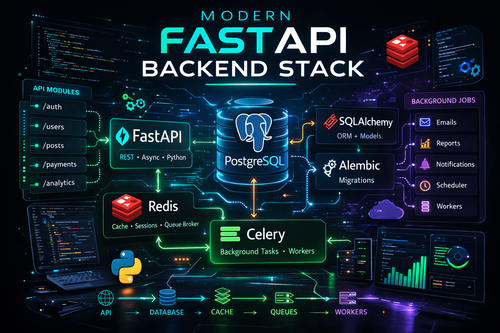
Modern FastAPI Backend Stack
A modern Python backend stack for teams that want speed, clean architecture, async APIs, reliable database workflows, background jobs, and scalable service foundations.